Settings
Use care. Settings affect project behavior and should be changed carefully.
Customize your On Book Pro experience.
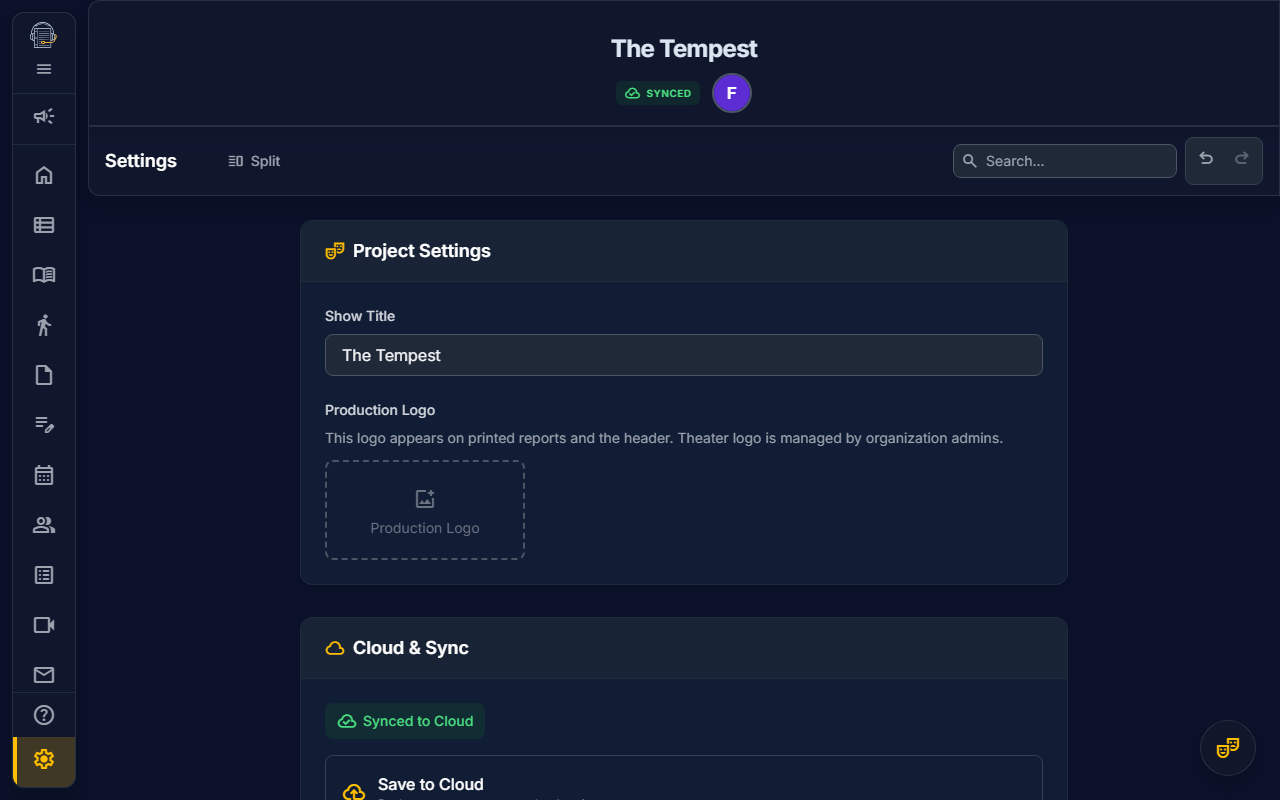
Overview
The Settings panel lets you configure user preferences, notification options, project-level settings, and project access management (for authorized users).
Accessing Settings
Click the gear icon in the sidebar or use keyboard shortcut Ctrl+, (Cmd+, on Mac).
User Preferences
Theme
The App subtab includes a theme toggle for light and dark mode.
Sidebar Behavior
- Collapsed by default — Start with sidebar minimized
- Remember state — Restore last sidebar position
The app also remembers several per-surface choices, including the active Settings subtab and scroll position for supported tools.
App Version
Open Settings -> App -> About to see the served app version. Production builds show the semantic version from the release metadata; local development builds may show a local-version fallback.
Keyboard Shortcuts
View and customize available shortcuts. See Keyboard Shortcuts for the full list.
Local Time Display
On Book formats schedule and activity times with your browser's local time settings. If a time looks unexpected, confirm your device time zone and locale before changing the production schedule.
Notification Settings
The App subtab includes an email-notification toggle for production updates sent to your account email. Manual stage-management emails may still be sent from production workflows even if you disable automated notifications.
Other notification preferences may appear in feature-specific or profile surfaces as those workflows mature.
TIP
In-app notifications appear as a badge on the bell icon and in the notification panel.
Project Settings (Admins Only)
If you're a project Owner or Production Manager, you'll see additional settings:
General
- Show Title — Display name for the production
- Production Logo — Project logo used in headers and printed reports
Theater or organization logos are managed by organization admins, not from the project settings panel.
Project Access
If you are a project owner, a super admin, or hold the relevant member-management permissions, Settings also shows a Project Access section for the current cloud project.
That section can include:
- Members — Review current member role and active/inactive status
- Role changes — Change a member's project role when your authority allows it
- Deactivate — Remove active project access without deleting the user account
- Invitations — Review pending invitations, reissue active or expired pending invitations, and resend invitations that were created but never finalized with an accept link
- Invite Update Requests — Approve or reject email-correction requests tied to project invitations
Invitations marked Needs resend were not finalized, so no accept link is active yet. Invitations marked Expired had an active link that is no longer usable. Use Resend for never-finalized rows; use Reissue for pending or expired invitations that need a fresh email.
This project-scoped access surface is different from the full Admin Portal. The Admin Portal is reserved for super admins.
Danger Zone
- Archive Project — Hide from active projects list
- Delete Project — Permanently remove the known project records and storage artifacts covered by project deletion
DANGER
Deleting a project cannot be undone. Project deletion removes known project records covered by deletion, collaborators, repository files including source PDFs, generated script artifacts, OCR results, and trashed files. Some support diagnostics and currently unlisted records may be retained separately; see Data Retention & Deletion.
Syncing Preferences
Your user preferences sync across all your projects. Project settings are specific to each production.
See also: Admin Portal • Keyboard Shortcuts • Data Retention & Deletion